Complete feature set — v1.27.3
iNetPanel Features
Everything you need to host websites from home, securely and easily — for free.
iNetPanel bundles the tools you would normally stitch together by hand — or pay a commercial panel for — into one interface built for self-hosting: multi-user hosting with full account isolation, multi-PHP from 5.6 to 8.5, Cloudflare Zero Trust so nothing listens on a public port, automatic Let’s Encrypt SSL, a WireGuard VPN, daily backups, a managed firewall with Fail2Ban, and a self-service client portal you can hand to your own users. Everything below ships in the free, open-source release — there is no paid tier holding features back. Here is what each part actually does.
Core Hosting
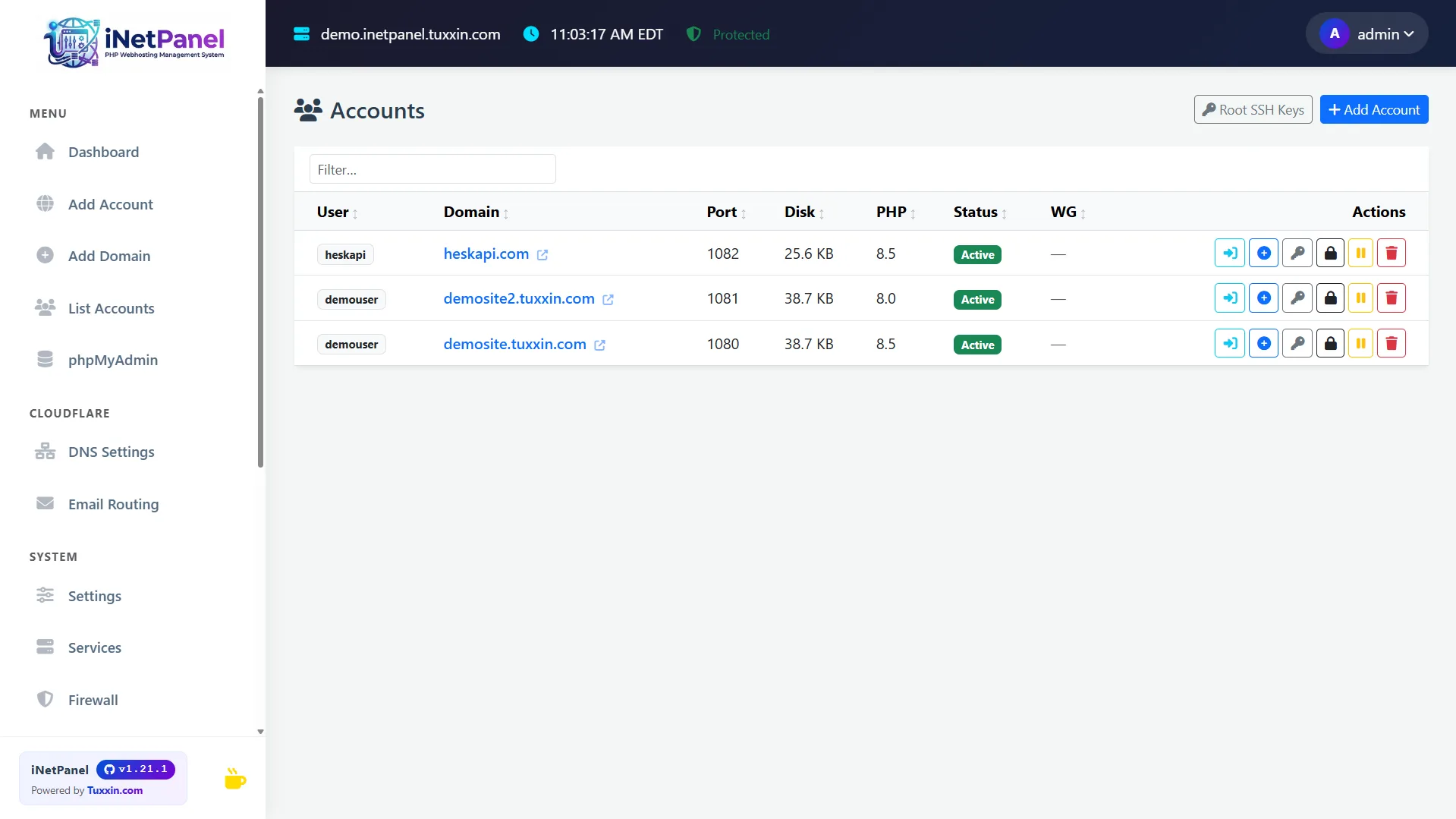
Multi-user, multi-domain hosting with full process isolation between accounts.
Each hosting account can have unlimited additional domains added with their own vhost, PHP-FPM pool, and SSL.
Each domain runs in its own PHP-FPM pool as the system user. open_basedir restrictions prevent cross-account file access.
New accounts auto-assigned Apache ports starting at 1080, increasing per user. Proxied through Cloudflare Tunnel.
Chrooted vsftpd FTP with passive mode (ports 40000-50000) and whitelist-only mode. Per-user FTP credentials managed through the panel.
Generate, import, and delete SSH public keys for hosting accounts from both the admin panel and client portal.
Suspend hosting accounts with one click — stops PHP-FPM pool, FTP/SSH access, Apache vhost, and WireGuard peer without deleting any files.
50+ system names (root, admin, www-data, mysql, etc.) blocked from account creation. Auto-generated usernames are prefixed if they collide.

Cloudflare Integration
Deep integration with Cloudflare's free tier — tunnel, DNS, email, DDNS, and DDoS protection.
cloudflared daemon routes all traffic. No open inbound ports. Server IP never exposed. Host from behind CGNAT, NAT, home ISP, or any firewall.
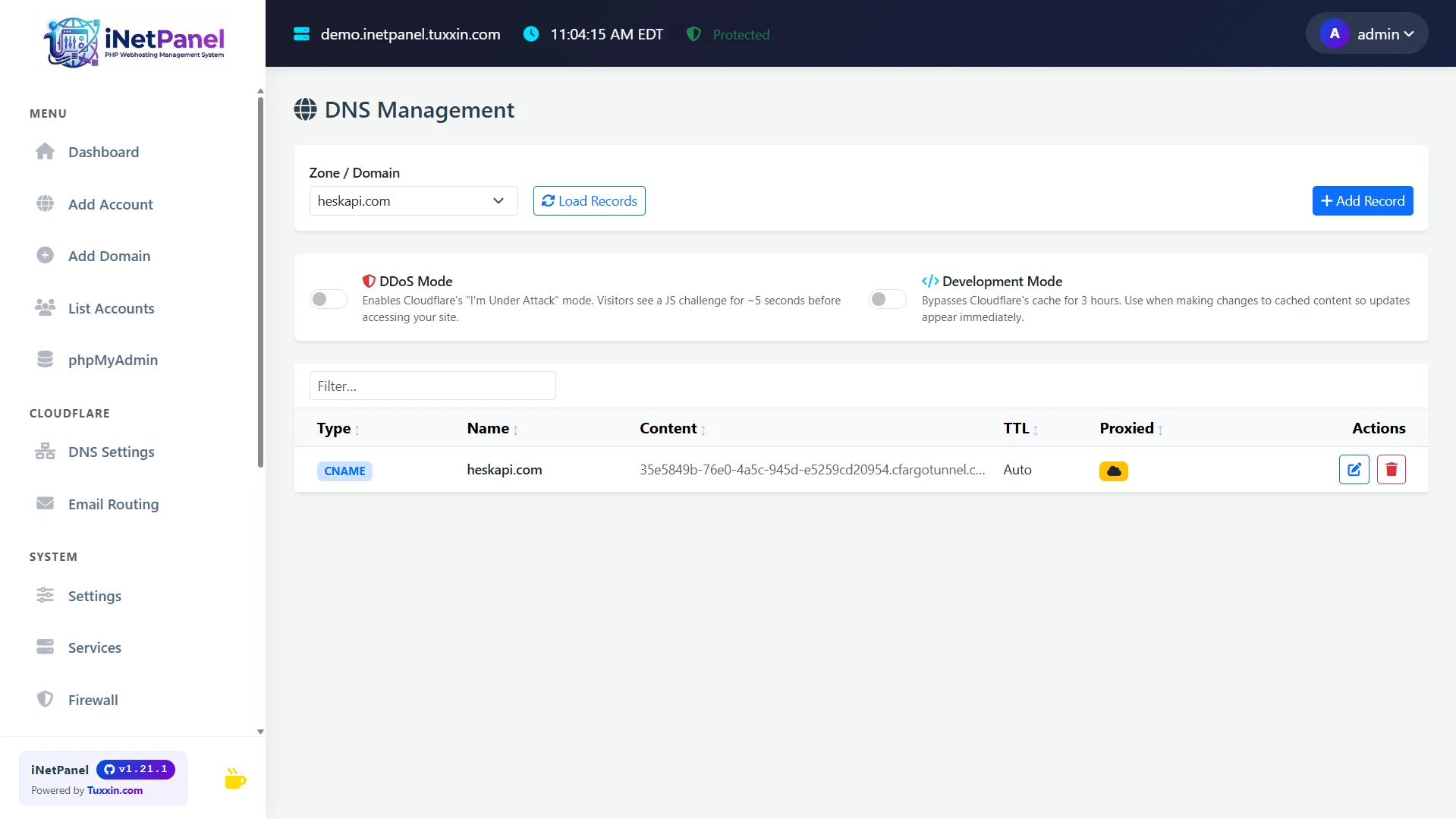
Create, edit, and delete Cloudflare DNS records (A, AAAA, CNAME, MX, TXT, SRV) directly from the admin and client portals.
Manage Cloudflare Email Routing rules — forwarding addresses, catch-all rules, and custom destinations per domain.
Built-in DDNS keeps a Cloudflare A record updated with your server's current IP. Configurable 5–60 minute update intervals. Best used with VPN for remote access.
Toggle Cloudflare "Under Attack" mode per zone directly from the dashboard to activate DDoS protection instantly.
Toggle Cloudflare Development Mode per zone to bypass cache during testing and development.
Admin Panel
A clean, intuitive dashboard with real-time monitoring, automation tools, and complete server control.
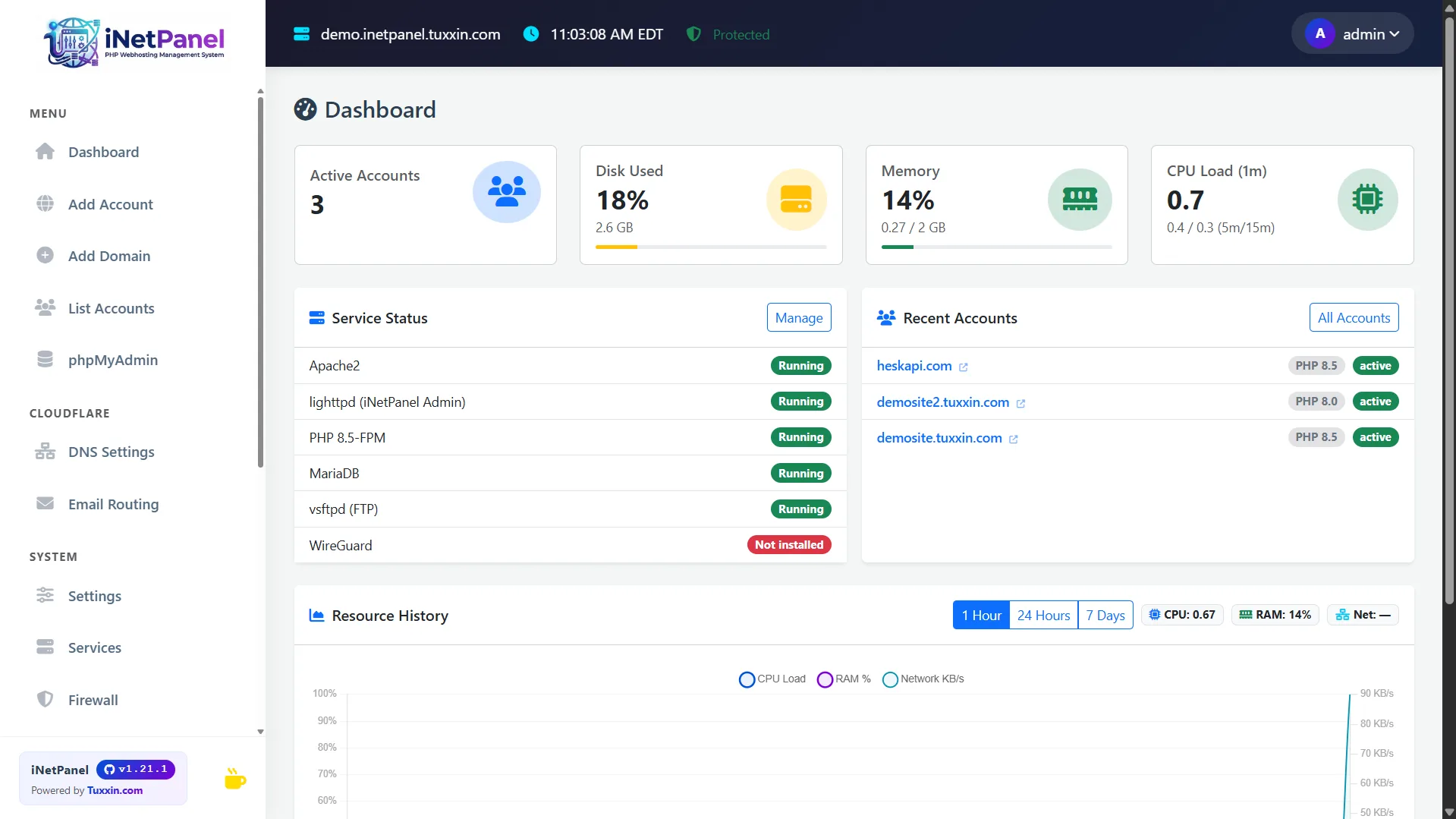
Historical CPU, memory, and network usage charts powered by Chart.js. Three time ranges: 1 Hour, 24 Hours, 7 Days. Background stats collected every minute.
Start, stop, and restart Apache, MariaDB, PHP-FPM, vsftpd, WireGuard, and cloudflared from the UI.
Custom bash code execution after domain add/delete operations. On/off toggles per hook, bash syntax validation, and a one-click TiCore Framework auto-deploy template.
One-click auto-login to phpMyAdmin as root from the admin sidebar. Token-based signon authentication — no manual login needed.
Toggle-based auto-restart monitoring. Cron checks services every 2 minutes and restarts stopped services automatically with event logging.
Panel audit log, per-domain Apache error/access logs, PHP-FPM error logs. Filter by source, level, user, and date.
Three roles: Superadmin (full), Full Admin (full except user management), Sub-Admin (domain-restricted).
Settings → Updates shows current vs. latest version. One-click update with automatic database migrations and permission fixes.
Client Portal
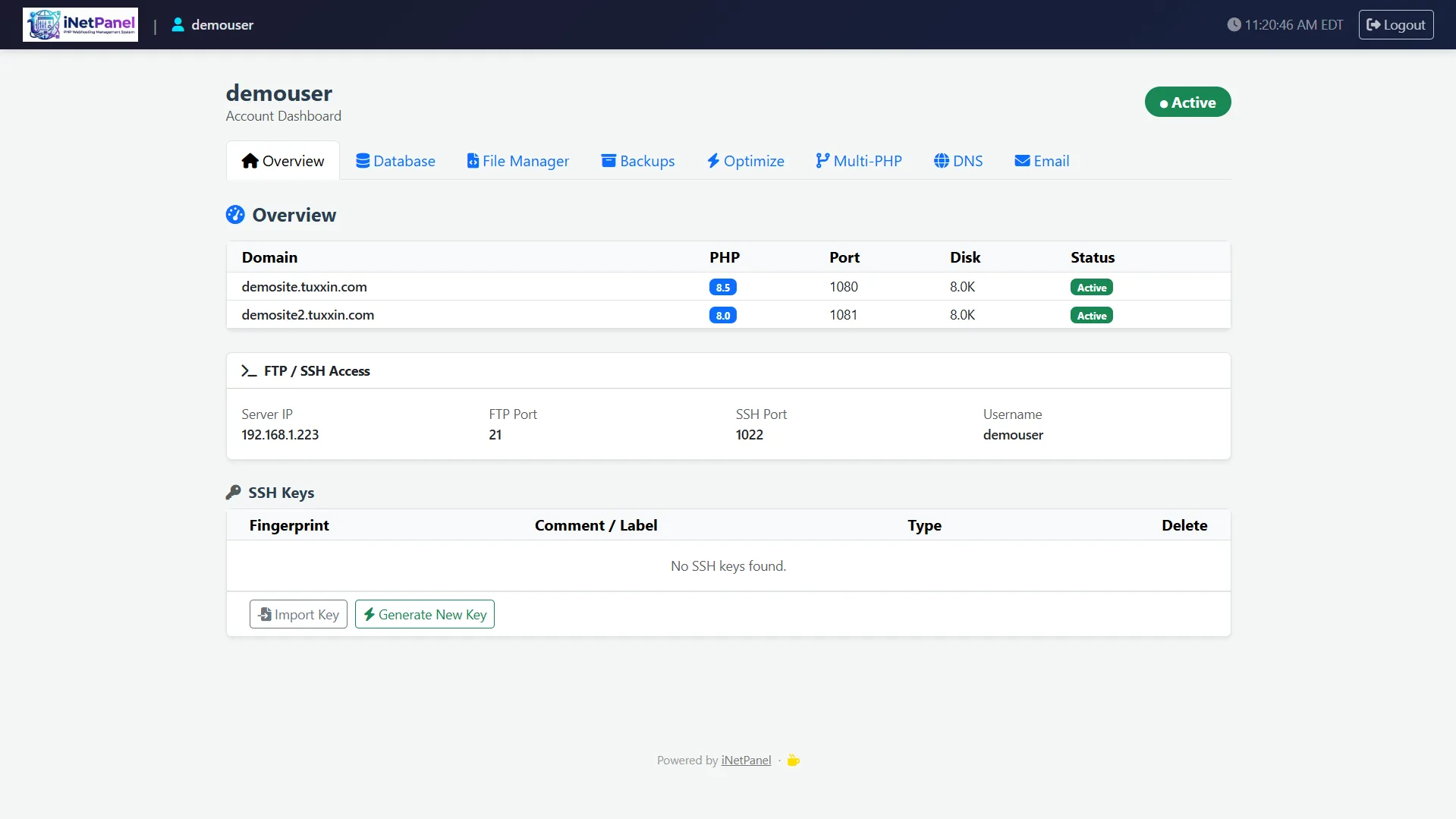
A full self-service portal for hosting users with tabbed interface and zero admin intervention needed.
All domains listed with PHP version, web root, port, disk usage, and status. FTP/SSH connection info and SSH key management.
View existing databases with sizes, create new databases with auto-prefixed names, and one-click phpMyAdmin auto-login.
.htaccess editor with directory tree browser. Password protection — add/remove .htpasswd per directory with multi-user management.
View and download account backups. Shows filename, size, and date for each backup file with retention period.
Lists all domains with current PHP version. Dropdown to change PHP version per domain instantly with service reload.
Full DNS record management (A, AAAA, CNAME, MX, TXT, SRV) plus DDoS and Development Mode toggles. Cloudflare only.
Email routing rule management — create forwarding rules per domain via Cloudflare Email Routing.
Image optimization with directory selection and dry-run preview before execution.
Security
Multiple layers of security from network to application level.
Optional full system lockdown: the only open port is UDP 1443 (WireGuard). Admin panel, client portal, phpMyAdmin, FTP, and SSH restricted to VPN peers only. Peer management and QR codes from the dashboard.
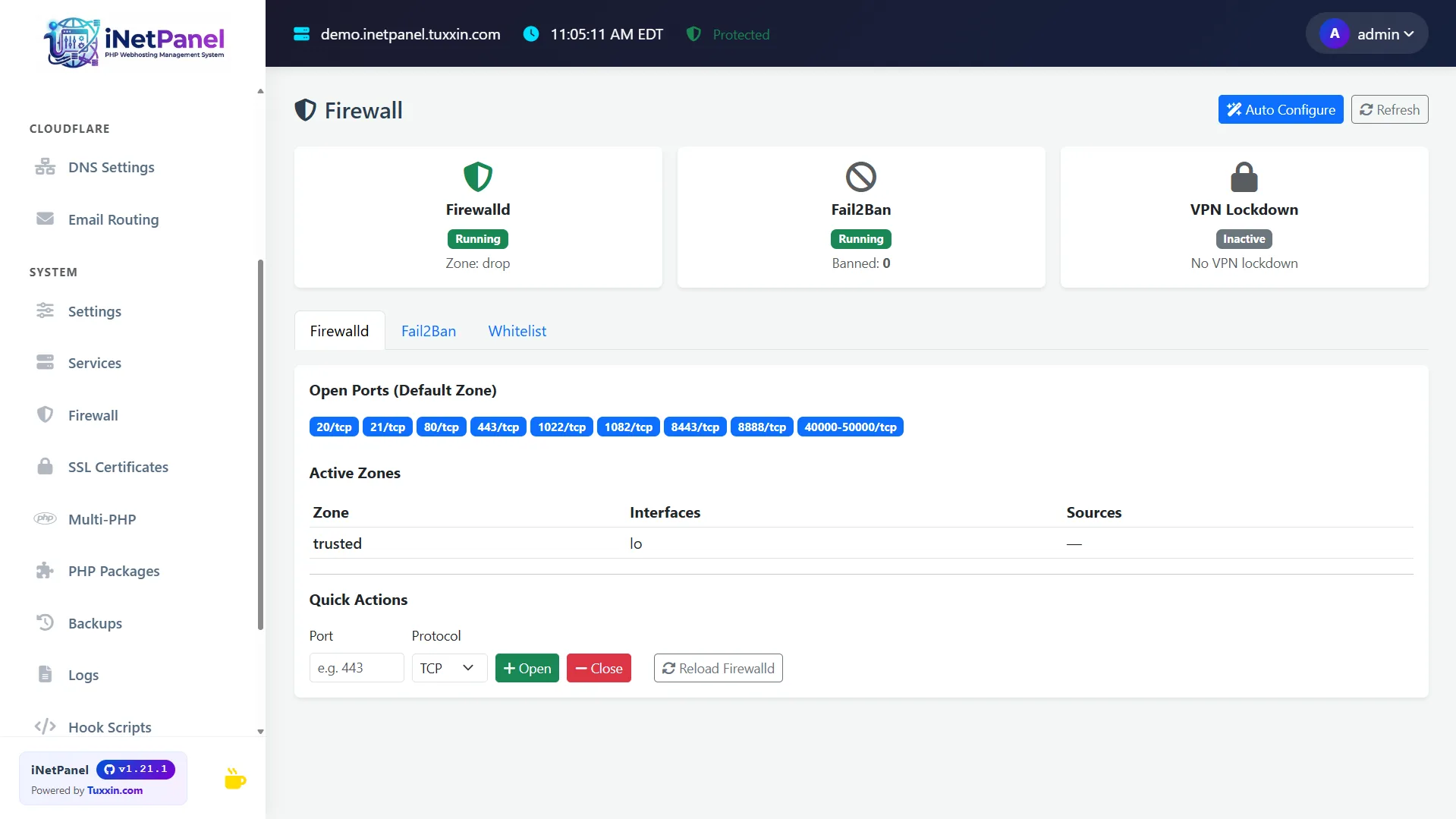
Intrusion prevention bans IPs after failed login attempts. Ban/unban from the admin UI. Firewalld with port ranges and IP whitelist tabs.
New in 1.26 — the installer generates a self-signed certificate and serves the panel over TLS on 443 from the first step, so the admin password and Cloudflare API key are never sent over plain HTTP. Swap in a trusted certificate with inetp panel_ssl.
All admin passwords hashed with bcrypt. PAM-based authentication for hosting user portal logins.
All forms protected with per-session CSRF tokens verified via constant-time comparison.
X-Frame-Options DENY, nosniff, Referrer-Policy, Permissions-Policy on all responses.
CLI-based malware scanner (inetp malware_scan) checks user files for common PHP backdoors and webshells.
New in 1.27 — run a real external port and vulnerability scan of your public IP from the Firewall page or the CLI, powered by qsa.sh. Scans originate outside your network, so they see what an attacker sees rather than what the server believes about itself. Results are kept on the server with a 30-run history.
Schedule re-scans and get told only when your actual exposure changes — a new open port, a service version change, a new finding. Alerts appear in the panel header and can be delivered to a Discord or Slack webhook.

PHP Management
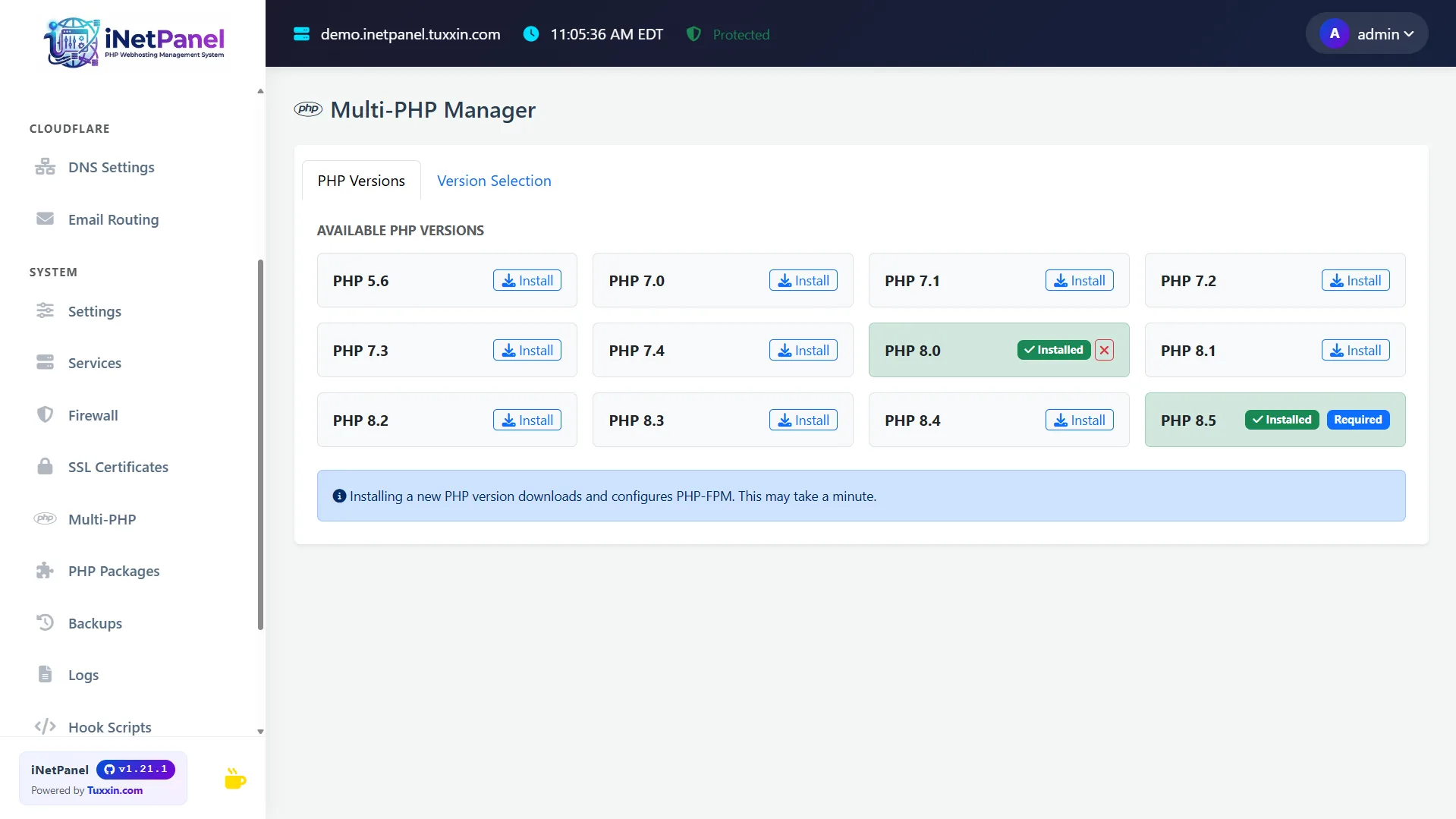
Install and manage multiple PHP versions side-by-side from the dashboard or client portal.
Install any combination of PHP versions via sury.org repository. Set system-wide default and override per-domain.
Each domain can run a different PHP version independently — legacy PHP 5.6 apps alongside modern PHP 8.5 sites. Changeable from both admin and client portal.
Install and uninstall PHP extensions per version with one click from the Extensions panel.
Each domain gets a dedicated PHP-FPM pool running as the hosting account user for security and isolation.

SSL & Backups
Automated certificate management and comprehensive backup system.
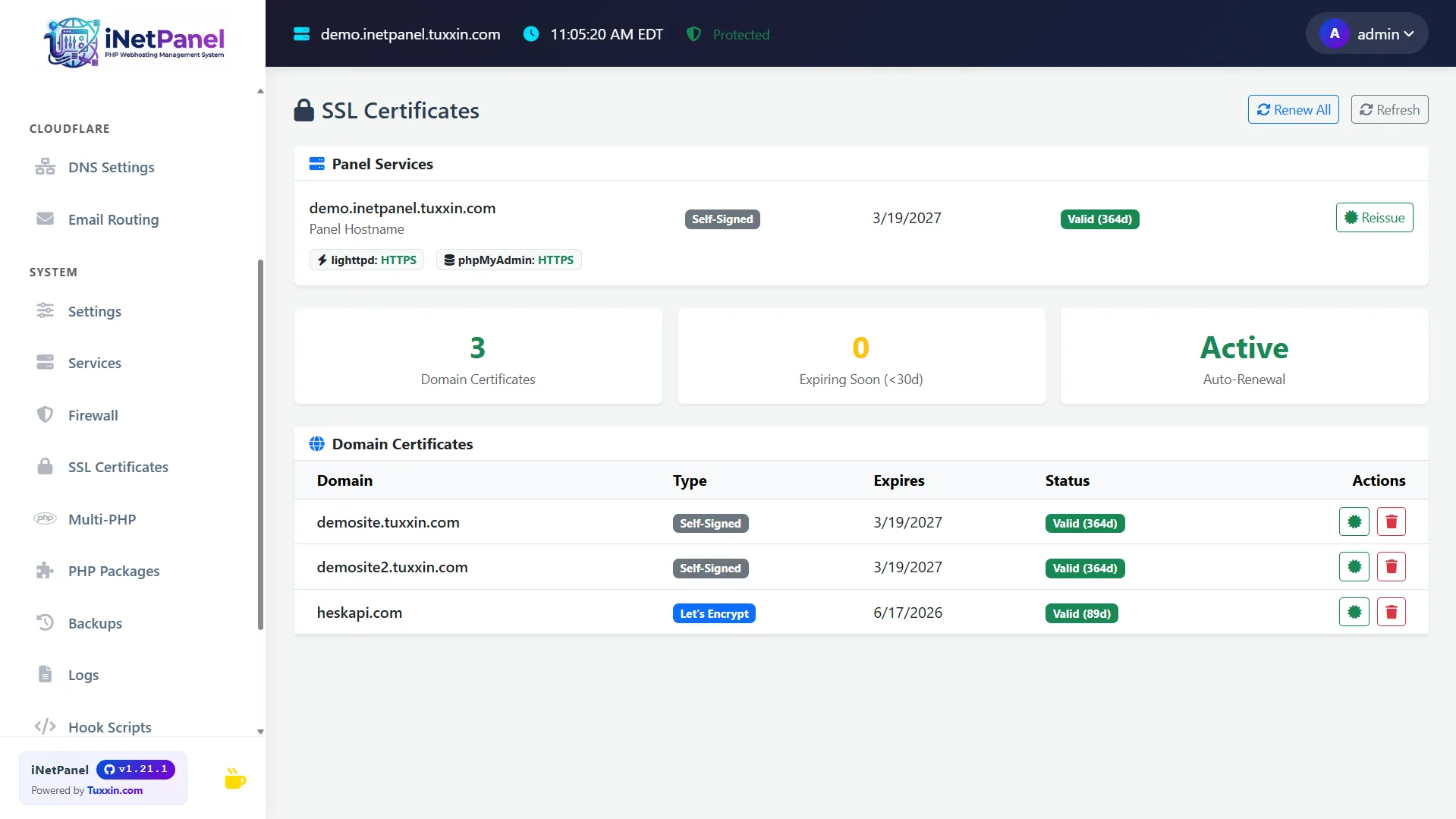
Certificates issued via Cloudflare DNS-01 challenge — works even without HTTP access. Self-signed fallback for non-public domains.
Certbot cronjob at 4 AM renews expiring certificates automatically.
The panel ships with a self-signed certificate so setup is encrypted immediately. inetp panel_ssl <hostname> replaces it with a trusted one at any time.
Cron at 3 AM backs up all accounts (files + databases). Configurable 1–30 day retention. Downloadable from client portal.
Apache, PHP, MariaDB, lighttpd, fail2ban, WireGuard, SSH, cron, and vsftpd configs backed up alongside user data as system_config archives.
Trigger per-account backups on demand from the admin UI or via the CLI.
CLI Tools
35 built-in command-line tools for server health, security, diagnostics, and maintenance.
inetp status
Server health summary — uptime, load, disk, RAM, swap, service statuses, SSL expiry dates, backup age, pending updates.
inetp benchmark
Quick benchmarks — disk I/O speed, network throughput, PHP opcache stats, MySQL query time.
inetp audit
Security audit — file permissions, PHP version check, open ports vs Apache config, weak MySQL passwords, fail2ban status.
inetp malware_scan
Scan user files for common PHP backdoors and webshells using pattern matching.
inetp disk_report
Disk usage breakdown per user/domain with top largest files and directories.
inetp dns_check
DNS propagation check, SSL certificate chain validation, HTTP response test, Cloudflare tunnel status.
inetp cleanup
Clear PHP session files, tmp files, old logs, orphaned FPM pools, stale backups beyond retention.
inetp speedtest
Server bandwidth test using curl — no external dependencies needed.
inetp reset_password
Reset FTP/SSH/MySQL password for a hosting user.
inetp rotate_logs
Force logrotate on all user and system logs.
inetp db_repair
Check and repair all MariaDB tables.
inetp qsa_scan
External exposure scan of this server via qsa.sh — open ports, service versions and CVE checks, seen from outside your network.
inetp qsa_scan --monitor
Re-scan and compare against the previous result, reporting only genuine exposure changes. Run from cron for continuous monitoring.